Wallid Products
Payment Plugin
for WooCommerce
Pay-by-Bank for WooCommerce
Wallid Plugin enables merchants to accept account-to-account payments in WooCommerce using Open Banking. Customers pay directly from their bank account to the merchant’s bank account, without using debit or credit cards.
Why Merchants Prefer Pay-by-Bank
-

Used by fast-growing WooCommerce stores
-

Secure Open Banking payments
-

Built
for conversion
How It Works
Install the Wallid plugin
for WooCommerce
for WooCommerce
Install the plugin in your store
Send us a message in the chat
once your profile is completed
once your profile is completed
Our team will review it and
activate your account accordingly
activate your account accordingly
That’s it!
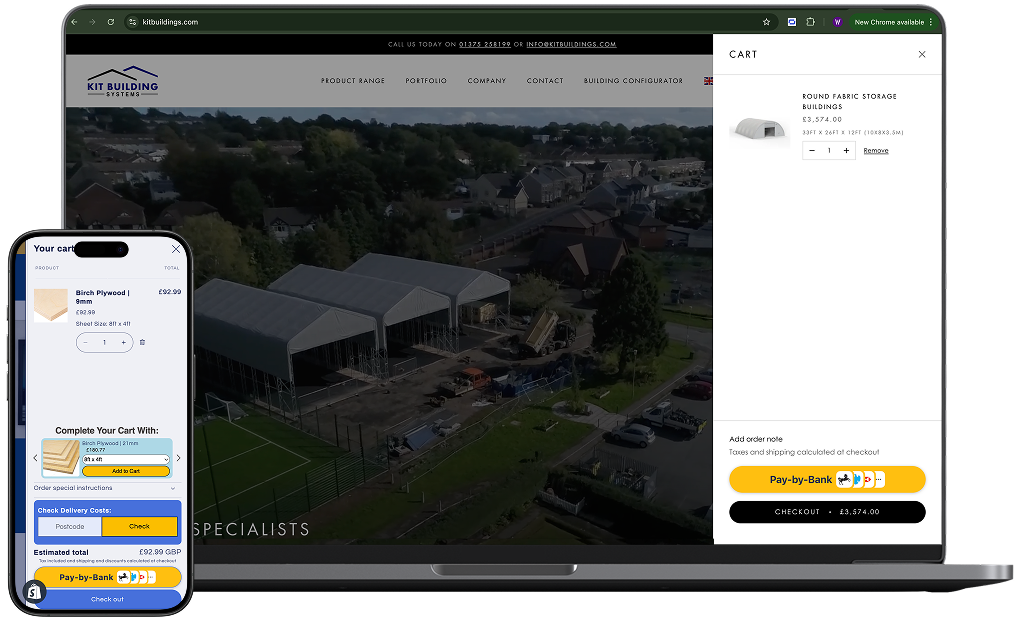
Wallid now appears as a payment option at checkout—no dev work and no changes to your checkout layout.
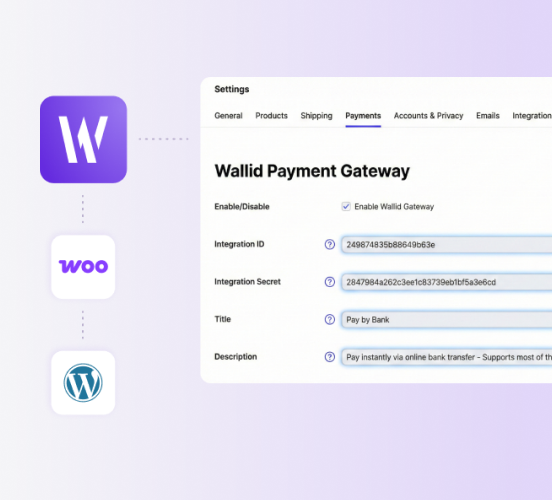
As a last step you will need to add ID and Secret to activate live payments.
Visit Help Page As a last step you will need to add ID and Secret to activate live payments.
How It Works
Install the Wallid plugin for WooCommerce
Install the plugin in your store
Send us a message in the chat once your profile is completed
Our team will review it and activate your account accordingly
That’s it!
Wallid now appears as a payment option at checkout—no dev work and no changes to your checkout layout.
As a last step you will need to add ID and Secret to activate live payments.
Visit Help Page As a last step you will need to add ID and Secret to activate live payments.
Frequently Asked Questions
Wallid Pay by Bank is a WooCommerce payment plugin that allows customers to pay directly from their bank accountusing Open Banking. Payments are made account-to-account, without debit or credit cards.
At checkout, customers select Pay by Bank, choose their bank, and confirm the payment in their banking app or online banking. Funds are sent directly from the customer’s bank account to the merchant’s bank account.
- Download the Wallid Pay-by-Bank plugin as a ZIP file
- In your WordPress admin dashboard, go to Plugins → Add New → Upload Plugin
- Upload the ZIP file, click Install Now, then Activate
Yes. You must have an active Wallid merchant account to process payments.
- Create a merchant account at https://www.getwallid.co.uk
- Complete your merchant profile
- Contact Wallid via live chat in the Merchant Portal or email support@corp.wallid.co to request activation
- After verification, Wallid will provide your Client ID and Secret Key
Account activation may take from several hours to few days.
In your WordPress admin dashboard:
- Go to WooCommerce → Settings → Payments
- Open Wallid Pay by Bank
- Enter your Client ID and Secret Key
- Save the settings and enable the payment method
- Place a test order with a small amount to confirm payments are processed correctly
- (Optional) Test the instant refund flow via the Merchant Portal at https://www.getwallid.co.uk
Yes. Refunds can be initiated from the Wallid Merchant Portal, including instant refunds for supported banks.
Wallid supports most major UK and EU banks through Open Banking. The available banks are shown to customers during checkout.
Yes. Payments are processed using Open Banking, with customer authentication handled directly by their bank. Wallid does not access or store customer banking credentials.